
The root user account on a Mac should be enabled by web programmers so that they can make system-level changes when required.
Note: although this tutorial was written for Mac OS X, version 10.8.5, it may work in other versions of Mac OS X.
- Open System Preferences
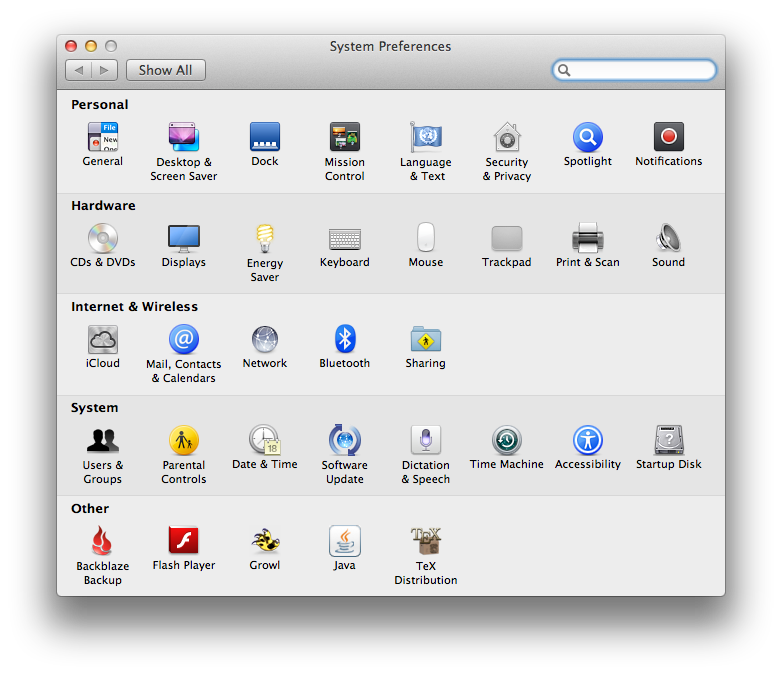
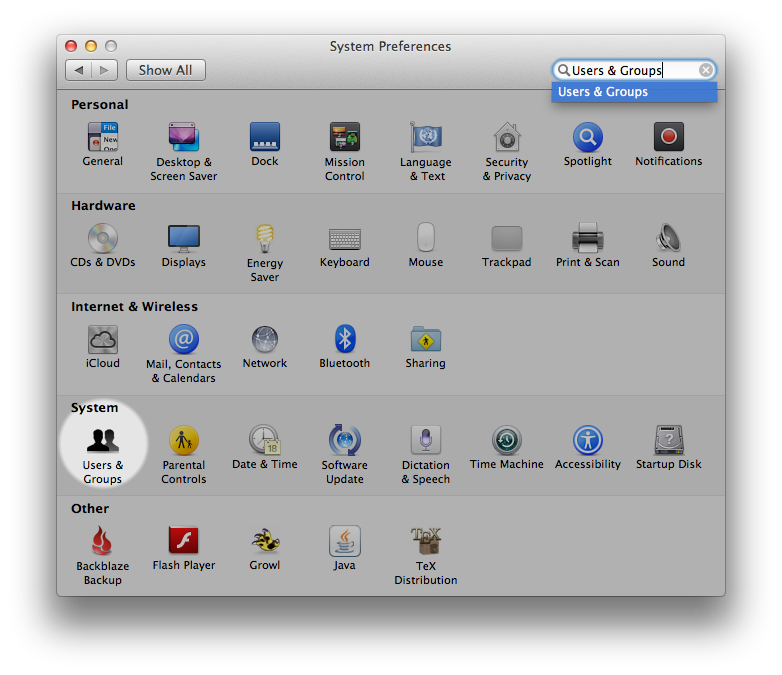
- Choose Users & Groups along the System row
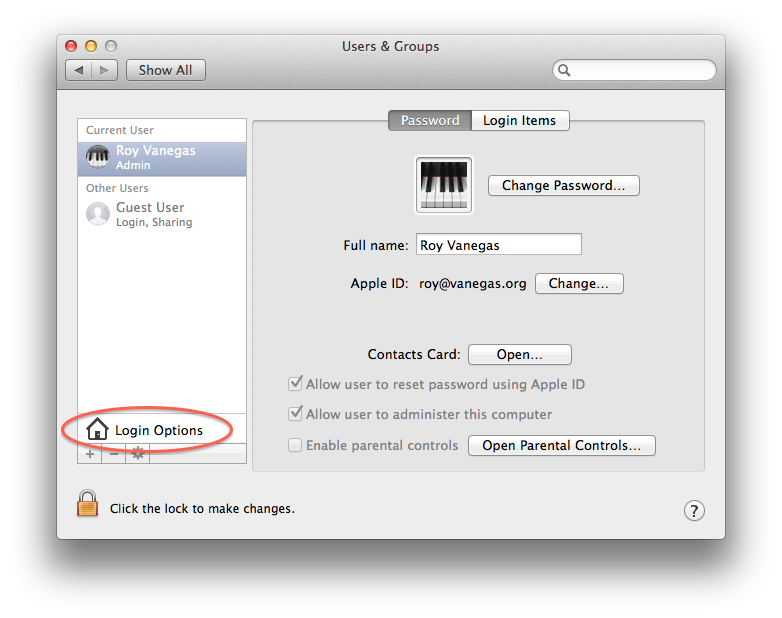
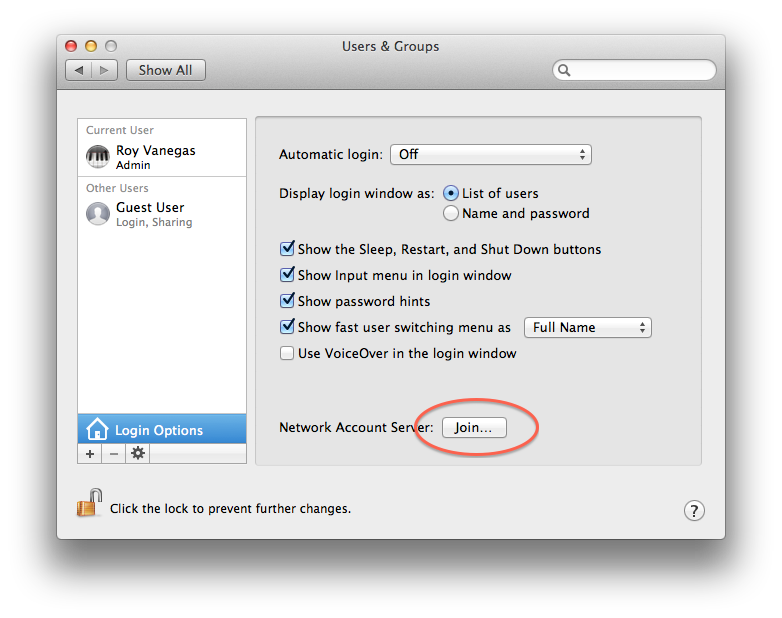
- Click Login Options to the right of the home icon in the lower left hand corner
- If the lock in the lower left hand corner is locked, unlock it

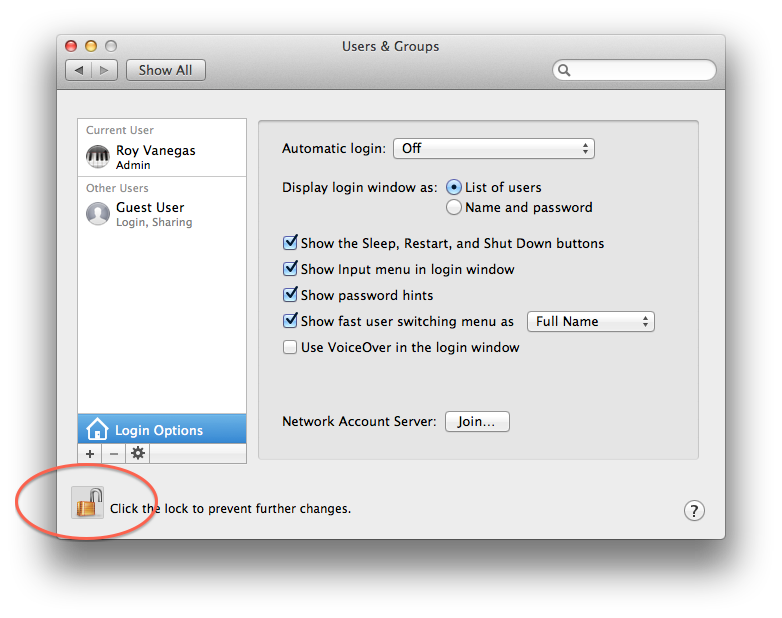
- On the right pane, to the right of Network Account Server click Join...
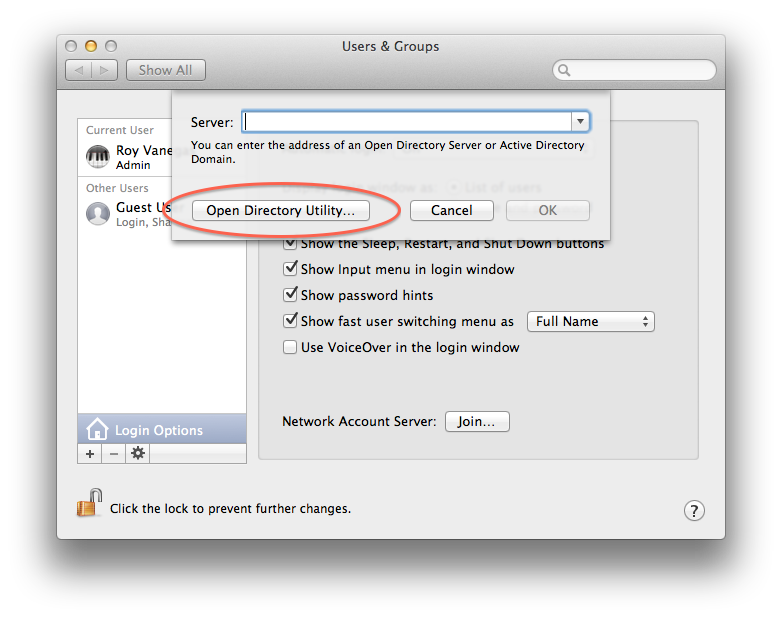
- In the subsequent dialog box that appears, click the Open Directory Utility... button
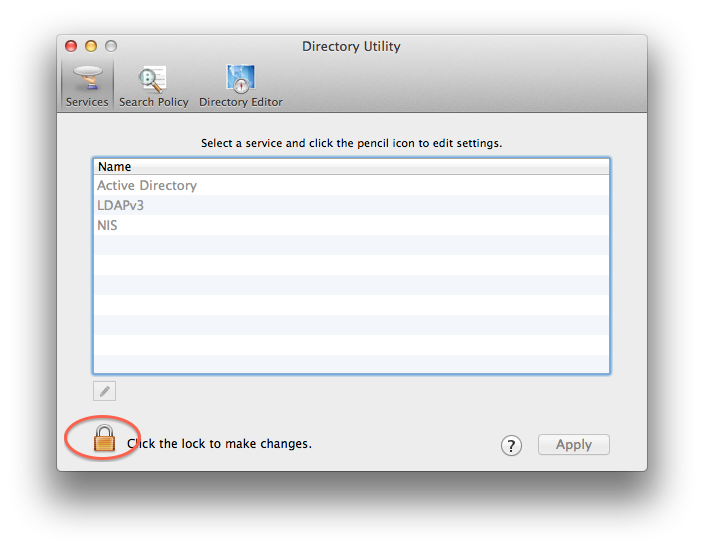
- In the next dialog box, unlock the lock in the lower left hand corner, if it’s locked

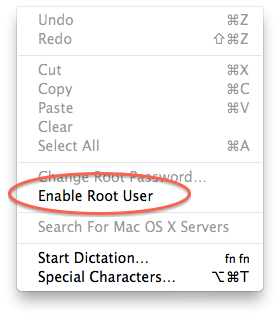
- Click the Edit menu on the menu bar and choose to Enable Root User
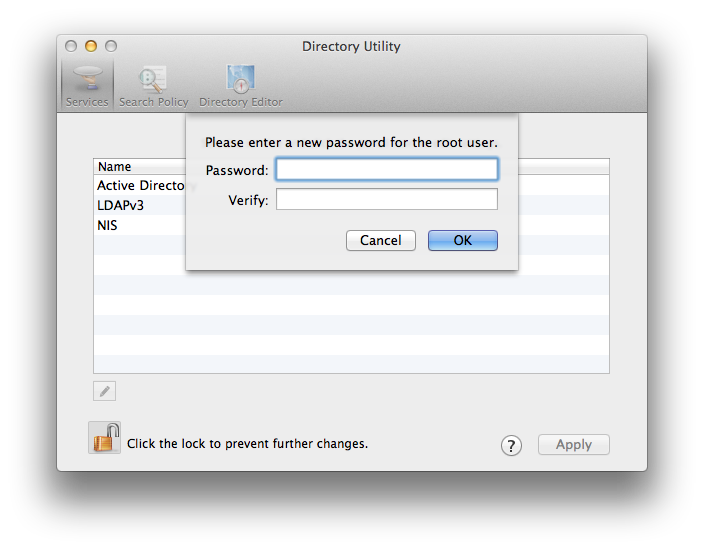
- You’ll now need to choose a password
- Lock every lock you unlocked during this tutorial, and you’re done.